

In this article, we show how to publish a dashboard and charts on your site. You can publish dashboards on any website, regardless of the technology used, thanks to the Gyule app.
To create a Gyule account, you can sign up here: www.gyule.io
Before publishing your dashboard you must have an active dashboard in your gyule account. To know how to create a dashboard, you can see this article.
Make your dashboard public
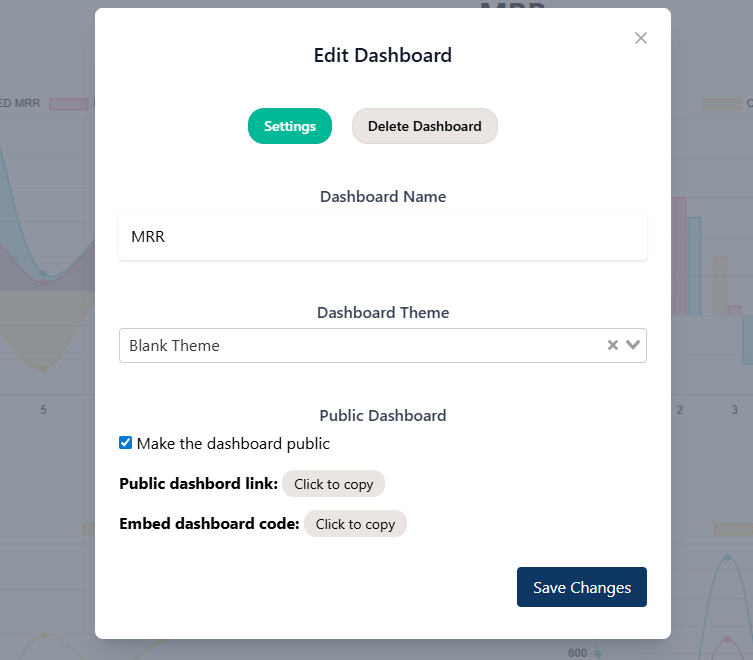
The first thing to do is to make your dashboard public. So open your dashboard in gyule.io and click the three dots in the top-right corner. In “Settings” section select “Make the dashboard public”, by default dashboards are private and can only be viewed by you in your account. Flagging this option the dashboard are public and everyone can see it.
Once selected and save you can copy the link or embed code.
Now see how to publish this dashboard in a wordpress site or in a custom site.
Publish dashboard in a wordpress site
Publishing on WordPress is very simple. You can insert your dashboard in pages, posts or in every custom post type.
If you use the Gutenberg editor (the standard wordpress editor) you have to select the block “embed” and paste the link seen in the previous point.
Note: you must copy “Public dashboard link” not the “Embed dashboard code” Gutenberg will then take care of transforming it into an iframe.

Publish dashboard in other sites
To publish on other sites and if you don’t have the ability to insert an embed element you can add the dashboard with embed code.
Copy “Embed dashboard code” seen in previous point and paste everywhere you want in your site.
Leave a Reply